This documentation has moved
This content now lives on the Virtana documentation site and is no longer updated. This site will be taken offline on January 31, 2027.
Go to the current documentation and update your bookmarks.
interfaces
In some situations, monitoring a small number of isolated network segments through a single collector is preferred. This procedure describes how to configure multiple network interfaces for a single on-premise collector appliance.
Please note the following constraints:
- The collector appliance must be based on a vSphere (OVA) or Linux KVM (QCOW2) image.
- The default route interface must be used to reach the Collection Zone outboard host.
- Syslog and SNMP collectors can only accept messages on the primary interface used for the default route.
- VLAN tagged interfaces (802.1Q) are not supported.
Note
Start the virtual machine with only the interface intended for the default route.
Configure default route interface
-
Connect to the collector through SSH or a virtual machine console.
-
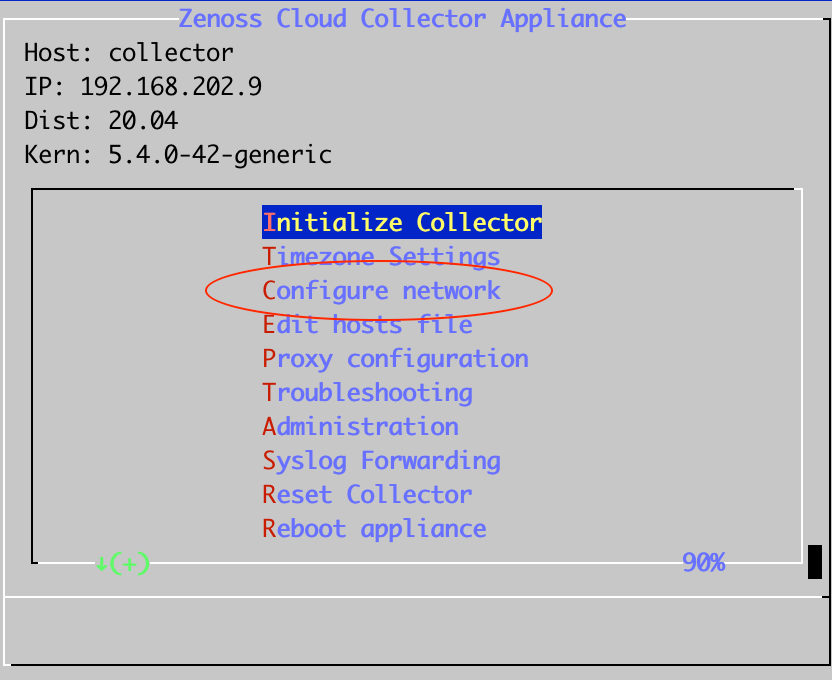
From the main menu, select Configure network.
-
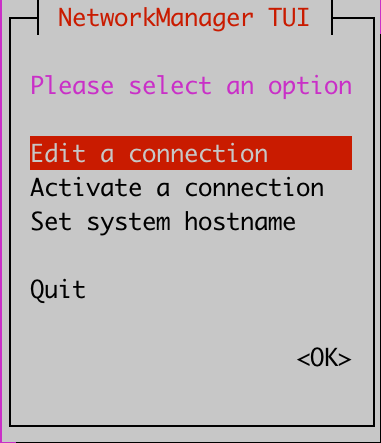
Select Edit a connection.
-
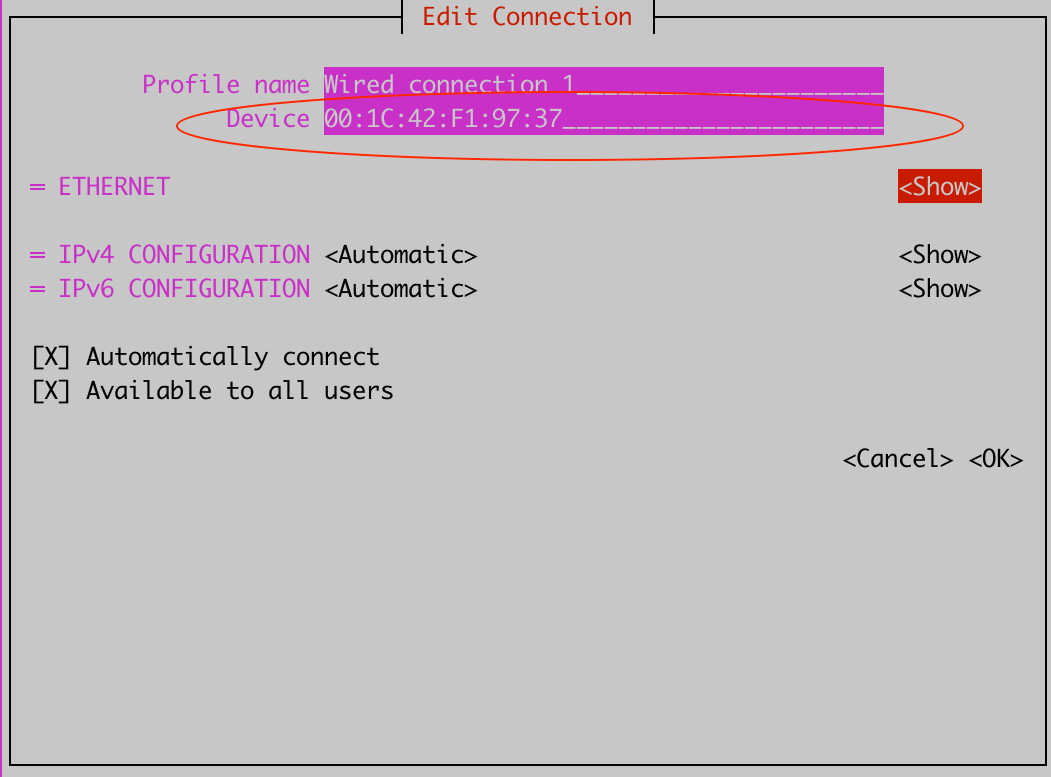
Select Wired connection 1, and then click Edit.
-
In the Device field, enter the MAC address of the network adapter.
-
To save the configuration, click OK.
-
Power off the collector and add additional interfaces to the virtual machine.
Configure additional interfaces
-
From the main menu, select Configure network.
-
Select Edit a connection.
-
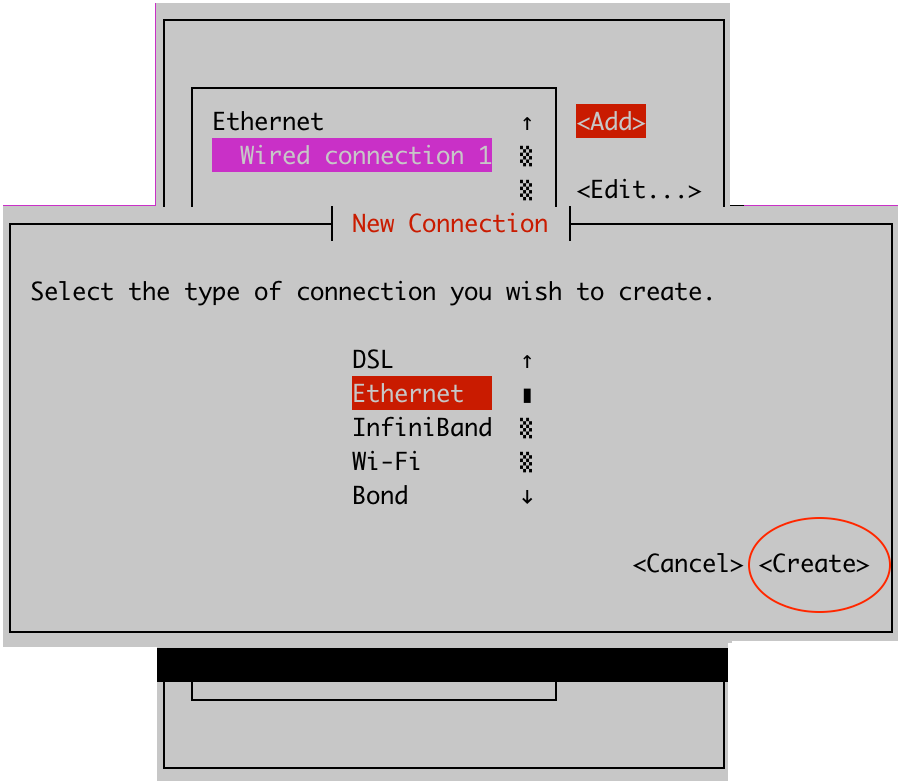
Click Add.

-
In the New Connection dialog, select Ethernet, and then select Create.
-
Set Profile name to Wired Connection 2.
-
In the Device field, enter the MAC address of the network adapter.

-
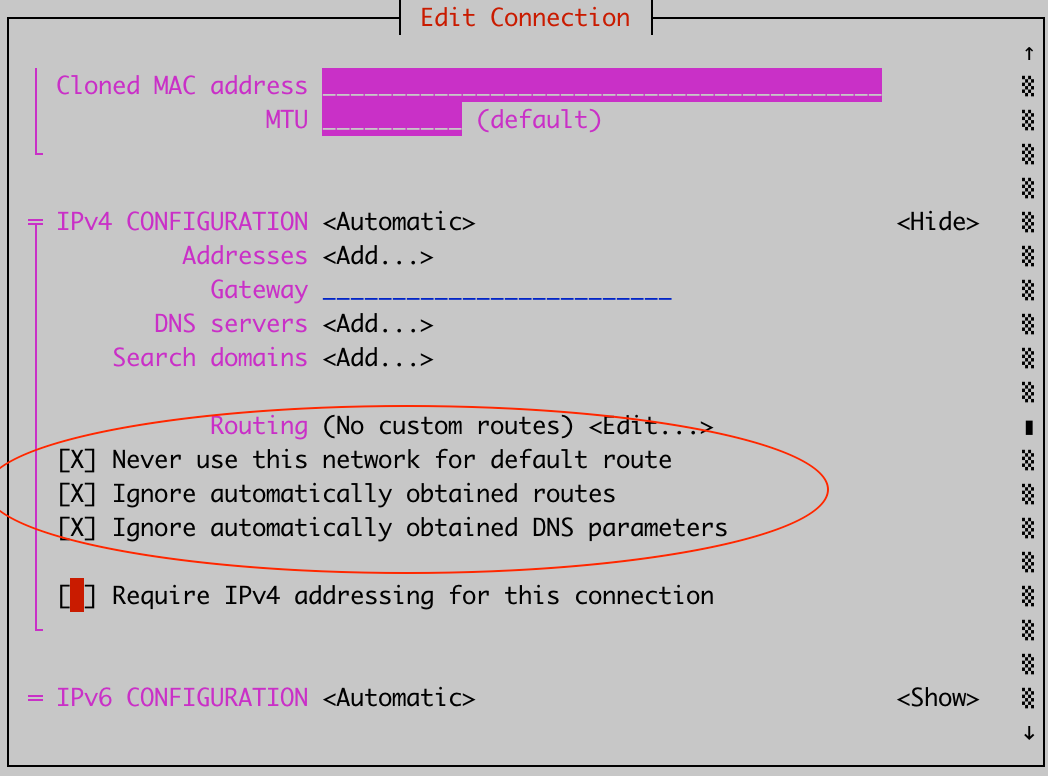
Under IPv4 Configuration, click Show, and then set the following options:
- Never use this network for default route
- Ignore automatically obtained routes
- Ignore automatically obtained DNS parameters
-
To save the configuration, click OK.
-
Reboot the collector appliance.